Speedtest by Ookla
v1.15.200.001Free
The best-known internet speed test — apps for Android, iPhone, Windows and Mac, plus an official command-line tool. By Ookla, LLC
- Windows
- macOS
- Linux
- Android
- iOS
- Web app
By the ToolsBharat teamLink checked 30 Oct 2026How we check
Quick answer
Speedtest by Ookla is free software for Windows, macOS, Linux, Android, iOS and the web from Ookla, LLC. The best-known internet speed test — apps for Android, iPhone, Windows and Mac, plus an official command-line tool. Download it only from speedtest.net. The latest version we track is 1.15.200.001. ToolsBharat links straight to the publisher's own download page, with no bundled offers.
- Latest version:
- 1.15.200.001
- Publisher:
- Ookla, LLC
- Official site:
- speedtest.net
- Licence:
- Free — Free (Android app shows ads; in-app purchases)
- Requirements:
- Android 7.0 or later; iOS 15.0 or later; Windows (Microsoft Store, or MSI for Windows 7); macOS 12 or later (Mac App Store); Speedtest CLI for Windows, macOS, Linux and FreeBSD
Our verdict
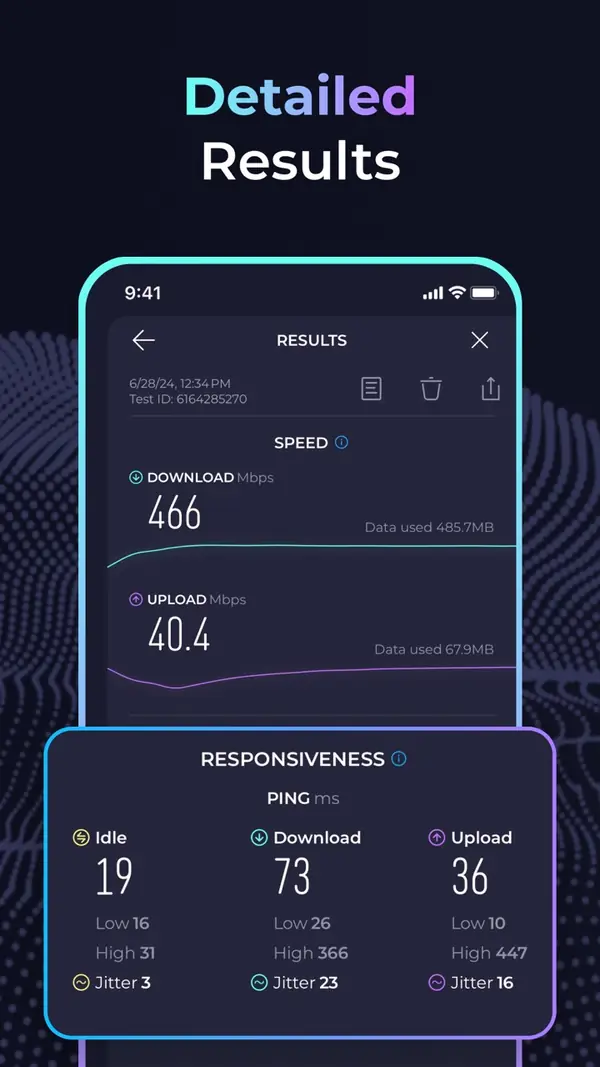
Speedtest is what most customers and ISPs use to argue about speed, so technicians need it too. The phone apps (100,000,000+ installs on Google Play) and desktop apps test download, upload and latency against a nearby server; the Mac app also reports jitter and packet loss. The official Speedtest CLI runs on Windows, macOS, Linux and FreeBSD with CSV and JSON output — handy on a Raspberry Pi or a router-side Linux box. Ookla warns that unofficial 'speedtest-cli' packages conflict with its own.
Screenshots


Key features
- Download, upload and latency test against nearby servers
- Apps for Android, iPhone, Windows (Microsoft Store or MSI) and Mac
- Official Speedtest CLI with CSV, JSON and JSONL output
- Result history to compare tests over time
Pros
- Pro: Results everyone recognises
- Pro: Official CLI for automated tests
Cons
- Con: Android app shows ads
- Con: Results depend on the chosen server and your Wi-Fi
What's new in 1.15.200.001
See what changed in 1.15.200.001 in the official release notes
Version history
Version 1.15.200.001Latest
date not stated- SHA-256
- The developer does not publish one
- Source
- Release notes
- SHA-256
- The developer does not publish one
- Source
- Release notes
Official downloads by platform
For Windows, use the Download button. Other platforms go straight to the publisher's own page or official store.
- macOS — official downloadspeedtest.net(opens speedtest.net in a new tab)
- Linux — official downloadspeedtest.net(opens speedtest.net in a new tab)
- Android — Google Playplay.google.com(opens play.google.com in a new tab)
- iOS — App Storeapps.apple.com(opens apps.apple.com in a new tab)
- Web app — open official sitespeedtest.net(opens speedtest.net in a new tab)
Requirements
- OS
- Android 7.0 or later; iOS 15.0 or later; Windows (Microsoft Store, or MSI for Windows 7); macOS 12 or later (Mac App Store); Speedtest CLI for Windows, macOS, Linux and FreeBSD
- Architecture
- Android phone, iPhone, Windows PC, Mac or Linux (CLI)
Licence
- Type
- Free
- Licence
- Free (Android app shows ads; in-app purchases)
- Publisher
- speedtest.net
Where these facts come from
- Google Play — developer "Ookla"
- App Store (India) — seller "Ookla"
- Speedtest for Windows
- Speedtest for Mac
- Speedtest CLI
Checked 30 Oct 2026
FAQ
Why is my speed test lower than my plan?
Wi-Fi is the usual cause. Test with a cable to the router, close other downloads, and try another server. For a fair test of the line itself, compare a wired Speedtest with an iperf3 test across your own network.
User reviews
User reviewsयूज़र रिव्यू
No reviews yet
Used Speedtest by Ookla? Reviews appear after moderation; we never import or invent ratings.
Alternatives
- WiFiman1.3.0 · FreeUbiquiti's free Wi-Fi analyser, speed test and network scanner for phones and PCs. Official No bundlesAvailable on Windows, macOS, Linux, Android, iOS
- iperf33.22 · Open sourceThe standard tool for measuring real TCP/UDP throughput between two machines — official source from ESnet. Official No bundlesAvailable on macOS, Linux
- Fing (app and Fing Desktop)4.0.4 · FreemiumPhone and desktop network scanner that identifies every device on your Wi-Fi. Official No bundlesAvailable on Windows, macOS, Android, iOS
Speedtest by Ookla
1.15.200.001 · Not stated