Omada Discovery Utility
v5.4.0FreeReleased 30 Jul 2026
Points Omada access points in another subnet to your Omada controller. By TP-Link
- Windows
- Linux
By the ToolsBharat teamUpdated 30 Jul 2026How we check
Quick answer
Omada Discovery Utility is free software for Windows and Linux from TP-Link. Points Omada access points in another subnet to your Omada controller. Download it only from support.omadanetworks.com. The latest version we track is 5.4.0 (30 Jul 2026). ToolsBharat links straight to the publisher's own download page, with no bundled offers.
- Latest version:
- 5.4.0 (30 Jul 2026)
- Publisher:
- TP-Link
- Official site:
- support.omadanetworks.com
- Licence:
- Free — Proprietary — free
- Requirements:
- Windows or Linux (the page label also mentions macOS)
Our verdict
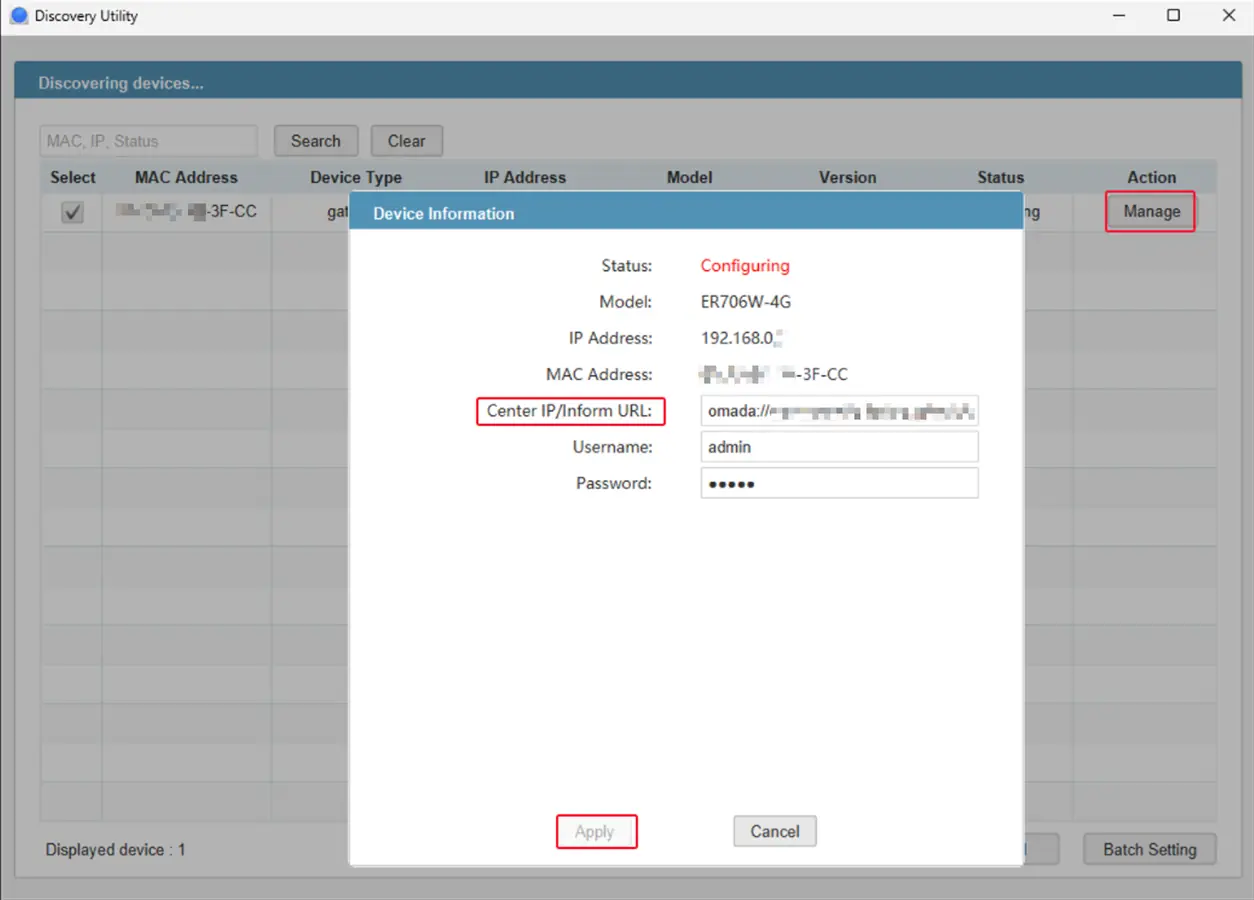
When Omada EAPs sit in a different subnet or VLAN from the controller, they cannot find it on their own. Run the Discovery Utility on a PC in the same subnet as the devices, select them and enter the controller's IP — they then appear for adoption. DHCP option 138 or the controller's Inform URL setting can do the same job without it. Version 5.4.0 needs a 64-bit Java 17 runtime; Java 8, 32-bit and ARM systems are no longer supported.
Screenshots
Key features
- Finds Omada devices in the local subnet and tells them the controller address
- Launch scripts for Windows and Linux
- Useful when devices and controller are on different subnets or VLANs
Pros
- Pro: Free and small
- Pro: Solves the most common 'EAP not showing in controller' problem
Cons
- Con: Needs a separate Java 17 install
- Con: Cannot run on the same PC as the Omada Controller
What's new in 5.4.0
See what changed in 5.4.0 in the official release notes
Version history
Version 5.4.0Latest
30 Jul 2026 · 70.2 MB- SHA-256
- The developer does not publish one
- Source
- Release notes
Official downloads by platform
For Windows, use the Download button. Other platforms go straight to the publisher's own page or official store.
Requirements
- OS
- Windows or Linux (the page label also mentions macOS)
- Architecture
- x86 64-bit only
- Also needs
- JRE 17 (x86 64-bit); JRE 8, 32-bit and ARM are not supported
Licence
- Type
- Free
- Licence
- Proprietary — free
- Publisher
- support.omadanetworks.com
Where these facts come from
Checked 30 Oct 2026
FAQ
My Omada EAP is not showing in the controller — what do I do?
If the EAP is in another subnet, run the Discovery Utility on a PC in that subnet, or set DHCP option 138 (or the Inform URL) to the controller's address. Also check the EAP is not still managed by another controller.
User reviews
User reviewsयूज़र रिव्यू
No reviews yet
Used Omada Discovery Utility? Reviews appear after moderation; we never import or invent ratings.
Alternatives
- TP-Link Omada Software Controller (Omada Network Application)6.3.0.45 · FreeTP-Link's free self-hosted controller for Omada access points, switches, gateways and GPON OLTs. Official No bundlesAvailable on Windows, Linux
- TP-Link Omada (mobile app)Android 5.3.79 · iOS 5.3.26 · FreeManage Omada access points one by one or through an Omada controller, from your phone. Official No bundlesAvailable on Android, iOS
Omada Discovery Utility
5.4.0 · 70.2 MB