TP-Link Omada (mobile app)
vAndroid 5.3.79 · iOS 5.3.26Free
Manage Omada access points one by one or through an Omada controller, from your phone. By TP-Link
- Android
- iOS
By the ToolsBharat teamLink checked 30 Oct 2026How we check
Quick answer
TP-Link Omada (mobile app) is a free app for Android and iOS from TP-Link. Manage Omada access points one by one or through an Omada controller, from your phone. Download it only from play.google.com. The latest version we track is Android 5.3.79 · iOS 5.3.26. ToolsBharat links straight to the publisher's own download page, with no bundled offers.
- Latest version:
- Android 5.3.79 · iOS 5.3.26
- Publisher:
- TP-Link
- Official site:
- omadanetworks.com
- Licence:
- Free — Free app
- Requirements:
- Android 9 or later; iOS 15.0 or later
Our verdict
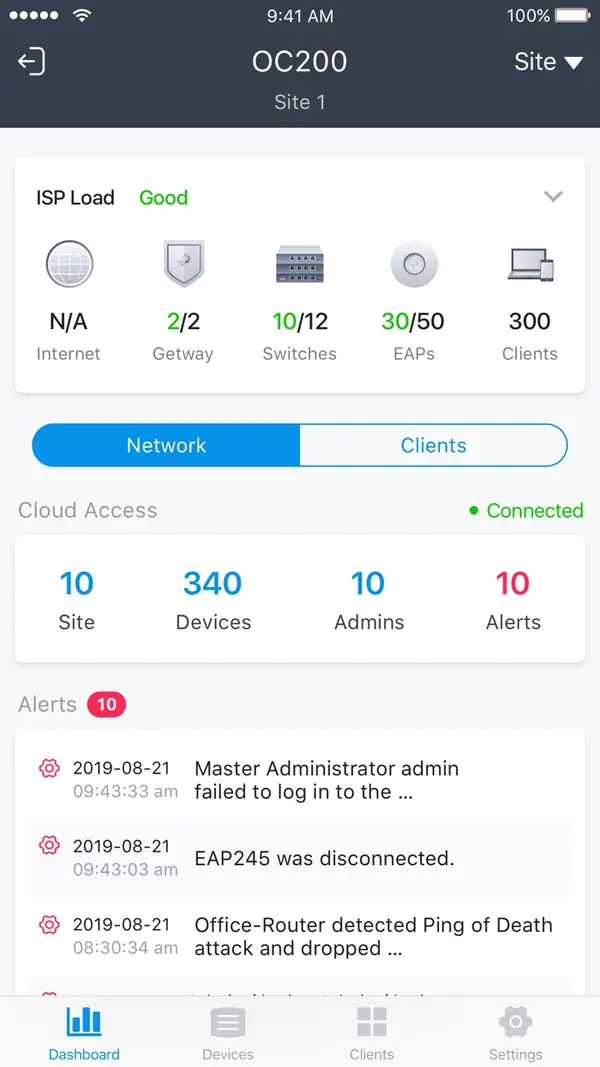
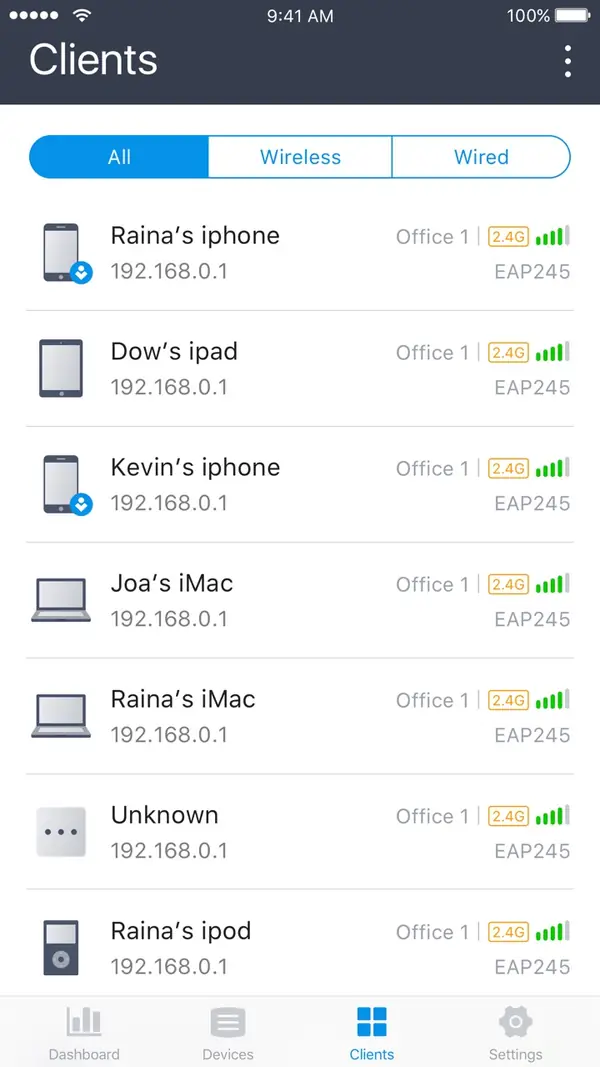
The Omada app has two modes. Standalone mode configures Omada access points and wireless routers individually with no controller — TP-Link recommends it for small sites with a few APs. Controller mode connects to a software controller or an OC200/OC300 hardware controller, locally or through Omada Cloud, so you can check clients, adopt devices and change SSIDs from the field. Google Play shows 1,000,000+ installs. Install it only from Google Play or the App Store and check the developer name before tapping Install. Look-alike 'router admin' apps and APK sites are common.
Screenshots

Key features
- Standalone mode for configuring individual EAPs without a controller
- Controller mode for software (v3.0.2+) and OC200/OC300 hardware controllers
- Local access on the same subnet or remote access through Omada Cloud
Free online tools for this
On our sister site MuftTools.in, made by DVM Techno, the team behind ToolsBharat. They run in your browser, with nothing to install.
Pros
- Pro: No controller needed for small sites
- Pro: Official and free
Cons
- Con: Standalone mode does not scale to many APs
- Con: Some settings only in the controller's web interface
What's new in Android 5.3.79 · iOS 5.3.26
See what changed in Android 5.3.79 · iOS 5.3.26 in the official release notes
Version history
Version Android 5.3.79 · iOS 5.3.26Latest
date not stated- SHA-256
- The developer does not publish one
- Source
- Release notes
Official downloads by platform
For Android, use the Download button. Other platforms go straight to the publisher's own page or official store.
Requirements
- OS
- Android 9 or later; iOS 15.0 or later
- Architecture
- Android phone or iPhone
Licence
- Type
- Free
- Licence
- Free app
- Publisher
- omadanetworks.com
Where these facts come from
- Google Play — developer "TP-LINK SYSTEMS INC."
- App Store (India) — seller "TP-Link Systems Inc."
- Omada Networks
Checked 30 Oct 2026
User reviews
User reviewsयूज़र रिव्यू
No reviews yet
Used TP-Link Omada (mobile app)? Reviews appear after moderation; we never import or invent ratings.
Alternatives
- UniFi (mobile app)Android 11.1.2 · iOS 11.0.2 · FreeUbiquiti's official app to set up and manage UniFi networks, consoles and access points from your phone. Official No bundlesAvailable on Android, iOS
- TP-Link Omada Software Controller (Omada Network Application)6.3.0.45 · FreeTP-Link's free self-hosted controller for Omada access points, switches, gateways and GPON OLTs. Official No bundlesAvailable on Windows, Linux
- TP-Link Aginet (ISP router app)Android 2.14.51 · iOS 2.14.51 · FreeTP-Link's app for the GPON, VDSL and mesh gateways supplied by Indian broadband providers. Official No bundlesAvailable on Android, iOS
TP-Link Omada (mobile app)
Android 5.3.79 · iOS 5.3.26 · Not stated