
Microsoft Copilot
vAuto-updating (Microsoft Store, Google Play, App Store)Freemium
Microsoft's single Copilot app for personal and work accounts, tied into Word, Excel and Outlook. By Microsoft Corporation
- Windows
- macOS
- Android
- iOS
- Web app
By the ToolsBharat teamLink checked 30 Oct 2026How we check
Quick answer
Microsoft Copilot is freemium software for Windows, macOS, Android, iOS and the web from Microsoft Corporation. Microsoft's single Copilot app for personal and work accounts, tied into Word, Excel and Outlook. Download it only from apps.microsoft.com. The latest version we track is Auto-updating (Microsoft Store, Google Play, App Store). ToolsBharat links straight to the publisher's own download page, with no bundled offers.
- Latest version:
- Auto-updating (Microsoft Store, Google Play, App Store)
- Publisher:
- Microsoft Corporation
- Official site:
- copilot.microsoft.com
- Licence:
- Freemium — Proprietary; free personal use, more features with Microsoft 365 Personal, Family or Premium, or a work licence
- Requirements:
- Windows 10 version 19041.0 or higher; macOS Sonoma 14 or later; iOS/iPadOS 26.0 or later (App Store listing); Android via Google Play
Our verdict
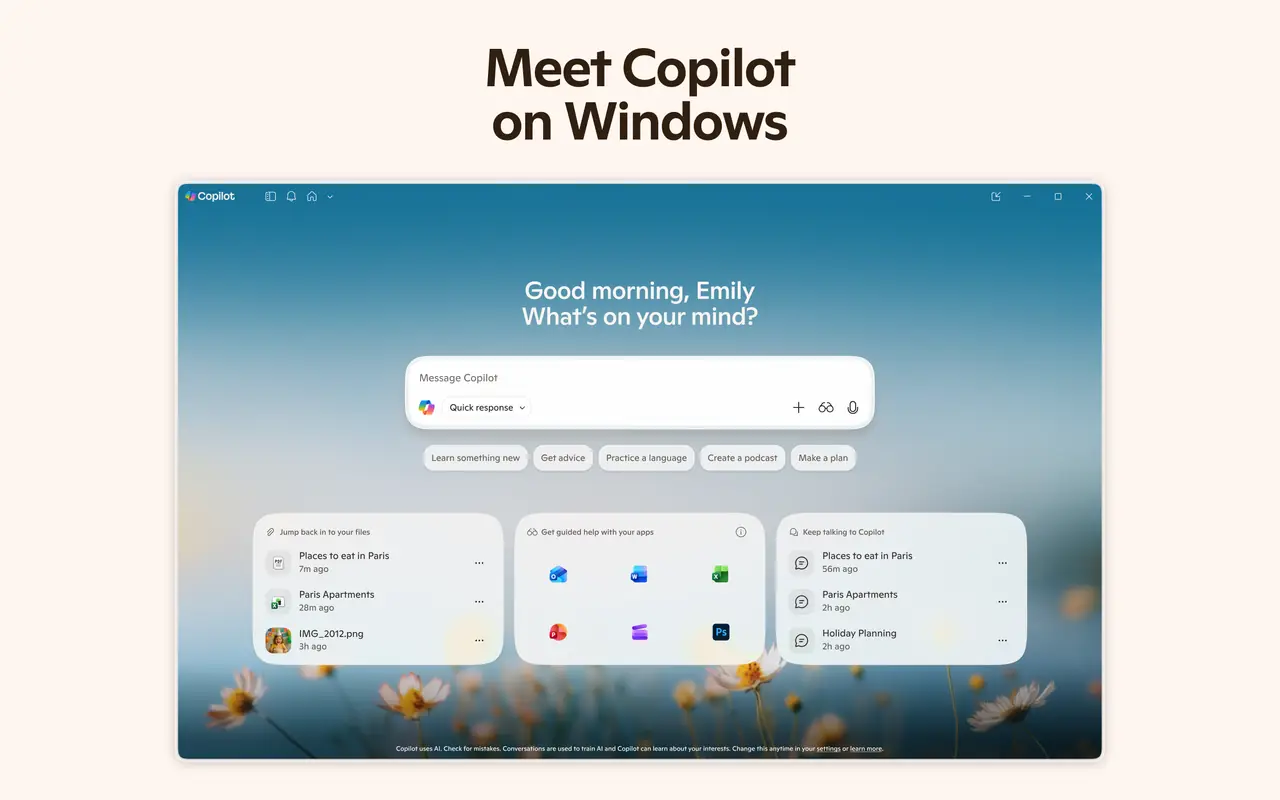
Microsoft has merged its consumer Copilot and Microsoft 365 Copilot apps into one Microsoft Copilot app, and what you get depends on the account you sign in with. It suits people already using Word, Excel, PowerPoint and Outlook, and it lets you switch between OpenAI and Anthropic models. The rename means older Copilot links and store pages have moved, so install it from the listings below.
Screenshots
Key features
- One app for personal Microsoft accounts and work or school (Entra) accounts
- Creates Word, Excel and PowerPoint files from a chat
- Cowork mode for multi-step tasks
- Choice of OpenAI and Anthropic models
- Personal sign-in with a Microsoft account, Apple ID or Google account (Windows app needs a Microsoft account)
Free online tools for this
On our sister site MuftTools.in, made by DVM Techno, the team behind ToolsBharat. They run in your browser, with nothing to install.
Pros
- Pro: Deep Microsoft 365 integration
- Pro: Free personal use
- Pro: Available on Windows, Mac, Android, iPhone and web
Cons
- Con: Recent merger and rename make it easy to grab the wrong listing
- Con: Several features depend on a Microsoft 365 subscription or work licence
- Con: Google Play listing flags ads in the app
What's new in Auto-updating (Microsoft Store, Google Play, App Store)
See what changed in Auto-updating (Microsoft Store, Google Play, App Store) in the official release notes
Version history
Version Auto-updating (Microsoft Store, Google Play, App Store)Latest
date not stated- SHA-256
- The developer does not publish one
- Source
- Release notes
Official downloads by platform
For Windows, use the Download button. Other platforms go straight to the publisher's own page or official store.
Requirements
- OS
- Windows 10 version 19041.0 or higher; macOS Sonoma 14 or later; iOS/iPadOS 26.0 or later (App Store listing); Android via Google Play
- Architecture
- Not stated by the publisher
- Also needs
- Microsoft account required on Windows; availability varies by country/region
Licence
- Type
- Freemium
- Licence
- Proprietary; free personal use, more features with Microsoft 365 Personal, Family or Premium, or a work licence
- Publisher
- copilot.microsoft.com
Where these facts come from
- Download the Microsoft Copilot app
- Get started with the Microsoft Copilot app (support)
- Microsoft Store listing
- Google Play listing
- App Store listing
Checked 30 Oct 2026
FAQ
What happened to the Microsoft 365 Copilot app?
Microsoft renamed it Microsoft Copilot and made it the single Copilot app. It adapts to the account you sign in with: work or school, or a personal Microsoft account.
User reviews
User reviewsयूज़र रिव्यू
No reviews yet
Used Microsoft Copilot? Reviews appear after moderation; we never import or invent ratings.
Alternatives
- ChatGPT26.1027.3384.0 · FreemiumOpenAI's assistant for chat, voice, images and delegated work, on every major platform. Official No bundlesAvailable on Windows, macOS, Android, iOS, Web app
- Claude2.42304.2 · FreemiumAnthropic's assistant for writing, analysis and coding, with desktop apps for Windows, Mac and Linux. Official No bundlesAvailable on Windows, macOS, Linux, Android, iOS, Web app
- Google Gemini1.17.0 · FreemiumGoogle's AI assistant, now with official desktop apps for Windows and Mac. Official No bundlesAvailable on Windows, macOS, Android, iOS, Web app
- Microsoft 365 (Office)Version 2610 (Build 20527.20112), Current Channel · PaidWord, Excel, PowerPoint and Outlook on a subscription, with OneDrive storage. Official No bundlesAvailable on Windows, Android, iOS, Web app


Microsoft Copilot
Auto-updating (Microsoft Store, Google Play, App Store) · Not stated