WhatsApp for Windows
vAuto-updating (Microsoft Store)Free
Official WhatsApp desktop app — chats, calls and files on your PC. By WhatsApp LLC (Meta)
- Windows
- macOS
- Android
- iOS
- Web app
By the ToolsBharat teamLink checked 30 Oct 2026How we check
Quick answer
WhatsApp for Windows is free software for Windows, macOS, Android, iOS and the web from WhatsApp LLC (Meta). Official WhatsApp desktop app — chats, calls and files on your PC. Download it only from whatsapp.com. The latest version we track is Auto-updating (Microsoft Store). ToolsBharat links straight to the publisher's own download page, with no bundled offers.
- Latest version:
- Auto-updating (Microsoft Store)
- Publisher:
- WhatsApp LLC (Meta)
- Official site:
- whatsapp.com
- Licence:
- Free — Proprietary — free
- Requirements:
- Windows 10 version 1903 or later (64-bit)
Our verdict
The easiest way to use WhatsApp on a laptop: link it to your phone with a QR code and your chats, groups and documents follow you. WhatsApp distributes the Windows app only through the Microsoft Store, which the official download page hands you to, so ignore 'WhatsApp setup.exe' files from other sites. It needs a 64-bit Windows 10 (1903) or newer.
Screenshots

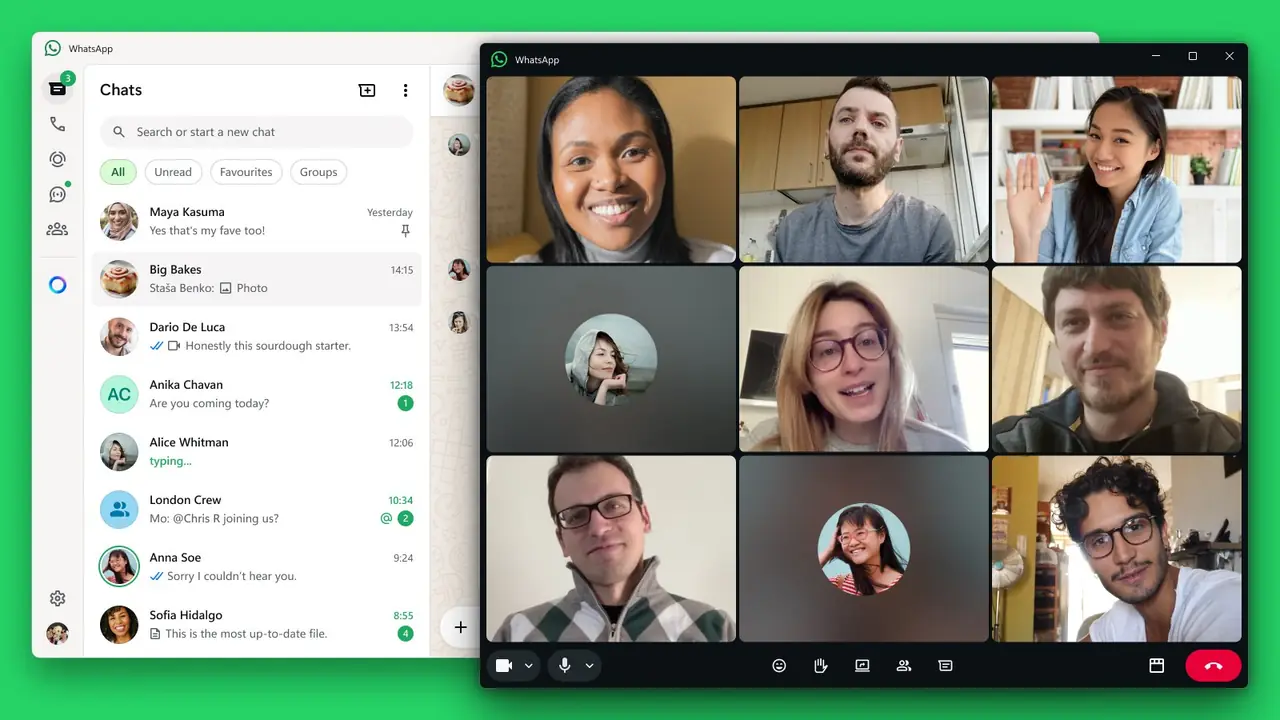

Key features
- Link to your phone by scanning a QR code
- Voice and video calls, including group calls
- Send documents, photos and voice notes from the PC
- End-to-end encryption for personal messages and calls
Free online tools for this
On our sister site MuftTools.in, made by DVM Techno, the team behind ToolsBharat. They run in your browser, with nothing to install.
Pros
- Pro: Free with no ads
- Pro: Keeps working when the phone is briefly offline
- Pro: Auto-updates through the Microsoft Store
Cons
- Con: Needs an active WhatsApp account on a phone
- Con: No version number published for the Windows app
- Con: Not available for Windows 7/8 or 32-bit Windows
What's new in Auto-updating (Microsoft Store)
See what changed in Auto-updating (Microsoft Store) in the official release notes
Version history
Version Auto-updating (Microsoft Store)Latest
date not stated- SHA-256
- The developer does not publish one
- Source
- Release notes
Official downloads by platform
For Windows, use the Download button. Other platforms go straight to the publisher's own page or official store.
Requirements
- OS
- Windows 10 version 1903 or later (64-bit)
- Architecture
- 64-bit, ARM64
Licence
- Type
- Free
- Licence
- Proprietary — free
- Publisher
- whatsapp.com
Where these facts come from
Checked 30 Oct 2026
FAQ
Why does the WhatsApp download open the Microsoft Store?
WhatsApp now distributes its Windows app through the Microsoft Store only. The 'Windows' button on whatsapp.com starts a small Store installer for the official listing, which is published by WhatsApp Inc.
Can I use WhatsApp on a PC without installing anything?
Yes. WhatsApp Web at web.whatsapp.com works in a browser and links to your phone in the same way.
User reviews
User reviewsयूज़र रिव्यू
No reviews yet
Used WhatsApp for Windows? Reviews appear after moderation; we never import or invent ratings.
Alternatives
- Telegram Desktop7.3.3 · Open sourceThe official Telegram app for PC, synced with your phone. Official No bundlesAvailable on Windows, macOS, Linux, Android, iOS, Web app
- Signal Desktop8.33.0 · Open sourcePrivate, end-to-end encrypted messaging on your PC. Official No bundlesAvailable on Windows, macOS, Linux, Android, iOS
WhatsApp for Windows
Auto-updating (Microsoft Store) · Not stated