
PC Health Check
vLatest (updated by Microsoft)Free
Microsoft's checker that tells you whether a Windows 10 PC can run Windows 11, and why. By Microsoft Corporation
- Windows
By the ToolsBharat teamLink checked 30 Oct 2026How we check
Quick answer
PC Health Check is free software for Windows from Microsoft Corporation. Microsoft's checker that tells you whether a Windows 10 PC can run Windows 11, and why. Download it only from support.microsoft.com. The latest version we track is Latest (updated by Microsoft). ToolsBharat links straight to the publisher's own download page, with no bundled offers.
- Latest version:
- Latest (updated by Microsoft)
- Publisher:
- Microsoft Corporation
- Official site:
- support.microsoft.com
- Licence:
- Free — Proprietary — free
- Requirements:
- Windows 10 / 11
Our verdict
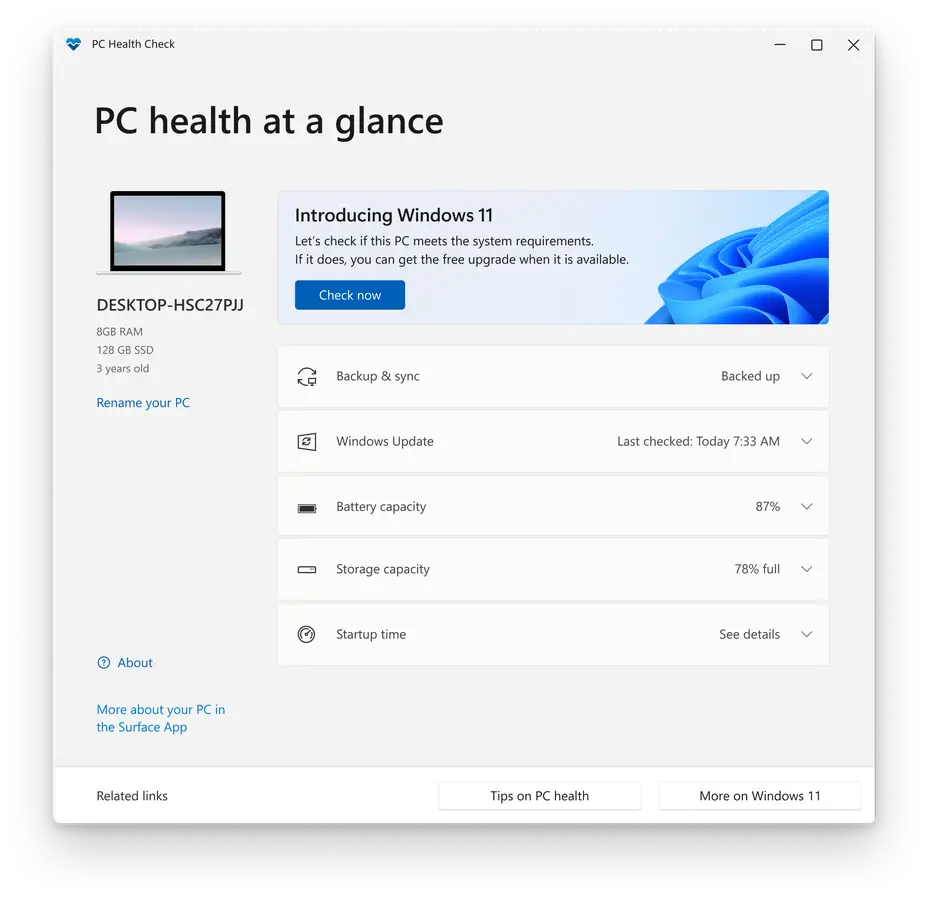
Run this before trying to upgrade. On Windows 10 it checks the Windows 11 minimum requirements (TPM 2.0, Secure Boot, supported CPU, RAM and storage) and explains anything that fails, which is often a setting you can change in the BIOS. It also shows battery capacity on older laptops, storage use, startup time and Windows Update status. The download link on Microsoft's support page is aka.ms/GetPCHealthCheckApp.
Screenshots
Key features
- Windows 11 eligibility check with reasons for any failure
- Battery capacity report for laptops older than three years
- Storage, startup time and Windows Update status
- Backup and sync shortcuts for OneDrive
Pros
- Pro: Official answer to 'can my PC run Windows 11?'
- Pro: Explains exactly which requirement fails
- Pro: Small and free
Cons
- Con: Mostly useful on Windows 10
- Con: Pushes OneDrive backup
- Con: Doesn't change BIOS settings for you
What's new in Latest (updated by Microsoft)
See what changed in Latest (updated by Microsoft) in the official release notes
Version history
Version Latest (updated by Microsoft)Latest
date not stated- SHA-256
- The developer does not publish one
- Source
- Release notes
Requirements
- OS
- Windows 10 / 11
- Architecture
- 64-bit
Licence
- Type
- Free
- Licence
- Proprietary — free
- Publisher
- support.microsoft.com
Where these facts come from
Checked 30 Oct 2026
FAQ
PC Health Check says 'This PC doesn't currently meet Windows 11 requirements'. What can I do?
Read the item it flags. TPM 2.0 and Secure Boot are often just switched off in the BIOS/UEFI settings and can be turned on. An unsupported processor can't be fixed in software.
User reviews
User reviewsयूज़र रिव्यू
No reviews yet
Used PC Health Check? Reviews appear after moderation; we never import or invent ratings.
Alternatives

PC Health Check
Latest (updated by Microsoft) · Not stated