
OpenAI Codex CLI
v0.166.0Open sourceReleased 29 Oct 2026
OpenAI's open-source coding agent that reads, edits and runs code from your terminal. By OpenAI
- Windows
- macOS
- Linux
By the ToolsBharat teamUpdated 29 Oct 2026How we check
Quick answer
OpenAI Codex CLI is open source software for Windows, macOS and Linux from OpenAI. OpenAI's open-source coding agent that reads, edits and runs code from your terminal. Download it only from github.com. The latest version we track is 0.166.0 (29 Oct 2026). ToolsBharat links straight to the publisher's own download page, with no bundled offers.
- Latest version:
- 0.166.0 (29 Oct 2026)
- Publisher:
- OpenAI
- Official site:
- learn.chatgpt.com
- Licence:
- Open source — Apache-2.0 (CLI source); use needs a ChatGPT plan sign-in or an OpenAI API key
- Requirements:
- Windows, macOS, Linux (minimum versions not stated by the publisher)
Our verdict
Codex CLI works inside your local repository: it reads files, proposes edits, runs commands and can review a diff before you commit. The CLI itself is open source, but the model behind it runs on OpenAI's servers, so you sign in with a ChatGPT account or supply an API key. Releases ship very often, which is good for fixes but means behaviour changes quickly.
Screenshots
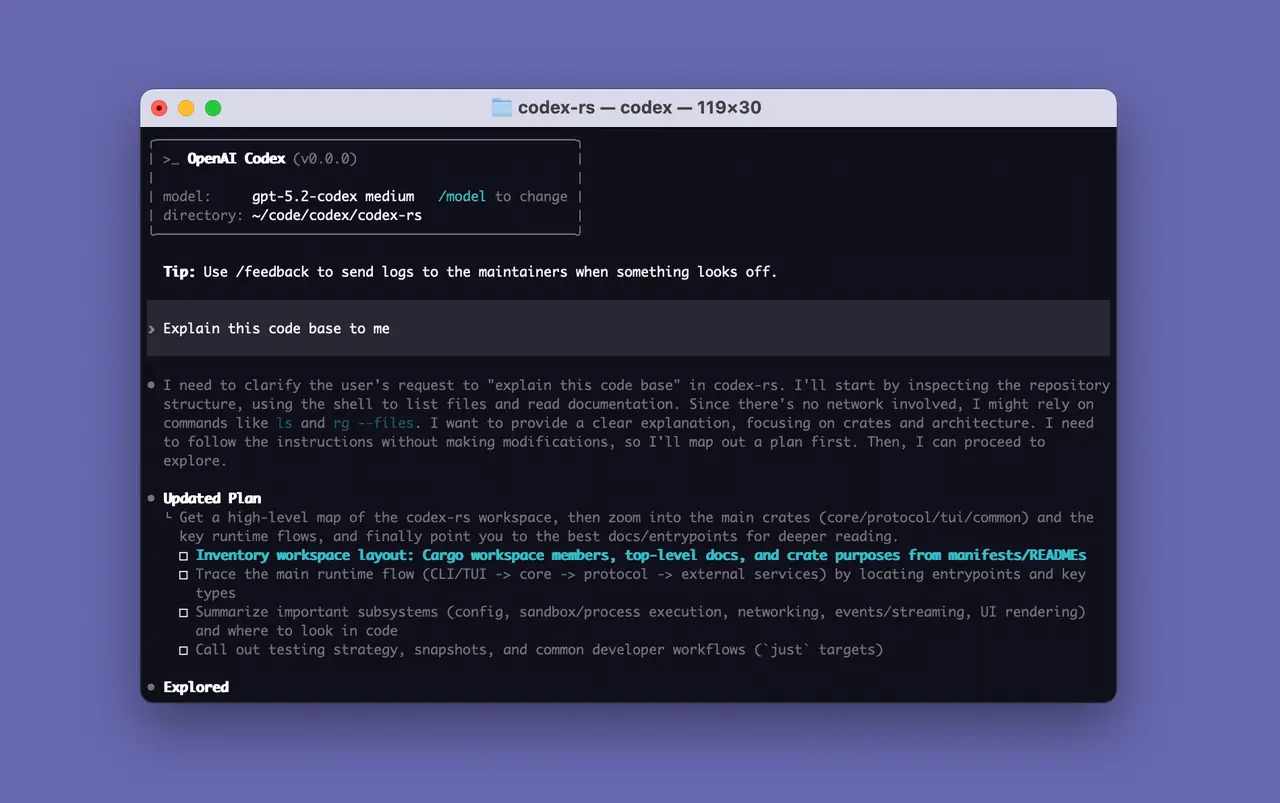
Key features
- Edits files and runs local tools inside your project folder
- Reviews uncommitted changes, a commit or a branch without touching your working tree
- codex exec for scripts and CI pipelines
- MCP server connections, image input and resumable sessions
- Same agent also available as a VS Code / Cursor / Windsurf extension
Pros
- Pro: Open-source CLI under Apache-2.0
- Pro: Works with an existing ChatGPT plan instead of separate API billing
- Pro: Native builds for Windows, macOS and Linux on x64 and ARM64
Cons
- Con: Needs an internet connection and an OpenAI account for every task
- Con: Free-plan access is limited and depends on OpenAI's rollout
- Con: Very fast release cadence can change behaviour between versions
What's new in 0.166.0
See what changed in 0.166.0 in the official release notes
Version history
Version 0.166.0Latest
29 Oct 2026- SHA-256
- The developer does not publish one
- Source
- Release notes
Official downloads by platform
For Windows, use the Download button. Other platforms go straight to the publisher's own page or official store.
Requirements
- OS
- Windows, macOS, Linux (minimum versions not stated by the publisher)
- Architecture
- x64, ARM64 (per GitHub release builds)
- Also needs
- ChatGPT account (Free, Go, Plus, Pro, Business, Edu or Enterprise) or OpenAI API key; internet connection
Licence
- Type
- Open source
- Licence
- Apache-2.0 (CLI source); use needs a ChatGPT plan sign-in or an OpenAI API key
- Publisher
- learn.chatgpt.com
Where these facts come from
- GitHub repository (README, licence)
- GitHub release 0.166.0
- Codex CLI docs
- Codex IDE extension docs
- Plans and pricing
- Windows desktop app docs
Checked 30 Oct 2026
FAQ
Is there a Codex desktop app?
OpenAI's docs now place the Codex desktop experience inside the ChatGPT desktop app, offered for macOS, Windows (via the Microsoft Store) and Linux. The CLI can also open it with the codex app command.
Do I need to pay to use Codex CLI?
The CLI is free and open source, but it calls OpenAI's models. OpenAI lists Codex as included in ChatGPT Free, Go, Plus, Pro, Business, Edu and Enterprise plans, with the Free tier meant for light use; you can also use an API key billed per usage.
User reviews
User reviewsयूज़र रिव्यू
No reviews yet
Used OpenAI Codex CLI? Reviews appear after moderation; we never import or invent ratings.
Alternatives
- Claude Code2.1.316 · PaidAnthropic's agentic coding tool for the terminal, IDEs and desktop. Official No bundlesAvailable on Windows, macOS, Linux
- Gemini CLI0.66.0 · Open sourceGoogle's open-source terminal agent, now focused on Gemini Code Assist organisations. Official No bundlesAvailable on Windows, macOS, Linux
- GitHub Copilot CLI1.0.105 · FreemiumGitHub's Copilot coding agent in your terminal, linked to your repos, issues and PRs. Official No bundlesAvailable on Windows, macOS, Linux
- Aider0.86.2 · Open sourceOpen-source AI pair programmer for the terminal that commits every change to git. Official No bundlesAvailable on Windows, macOS, Linux
- OpenCode1.19.5 · Open sourceOpen-source coding agent for the terminal and desktop that works with 75+ model providers. Official No bundlesAvailable on Windows, macOS, Linux

OpenAI Codex CLI
0.166.0 · Not stated