MEGA Desktop App
v6.7.0.3FreemiumReleased 26 Oct 2026
End-to-end encrypted cloud sync and backup. By Mega Limited
- Windows
- macOS
- Linux
- Android
- iOS
- Web app
By the ToolsBharat teamUpdated 26 Oct 2026How we check
Quick answer
MEGA Desktop App is freemium software for Windows, macOS, Linux, Android, iOS and the web from Mega Limited. End-to-end encrypted cloud sync and backup. Download it only from mega.io. The latest version we track is 6.7.0.3 (26 Oct 2026). ToolsBharat links straight to the publisher's own download page, with no bundled offers.
- Latest version:
- 6.7.0.3 (26 Oct 2026)
- Publisher:
- Mega Limited
- Official site:
- mega.io
- Licence:
- Freemium — Proprietary (source published under MEGA Limited Code Licence) — free plan; paid Pro plans
- Requirements:
- Windows 10 or later (Windows Server 2019 or later)
Our verdict
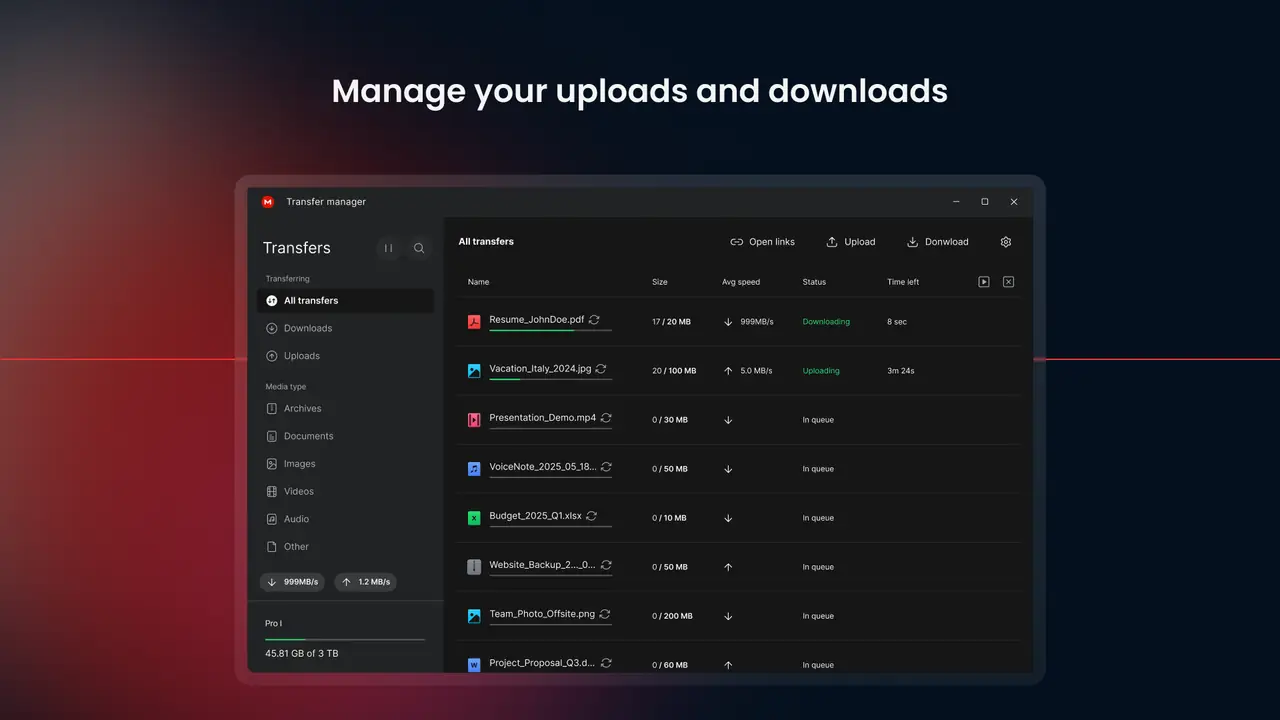
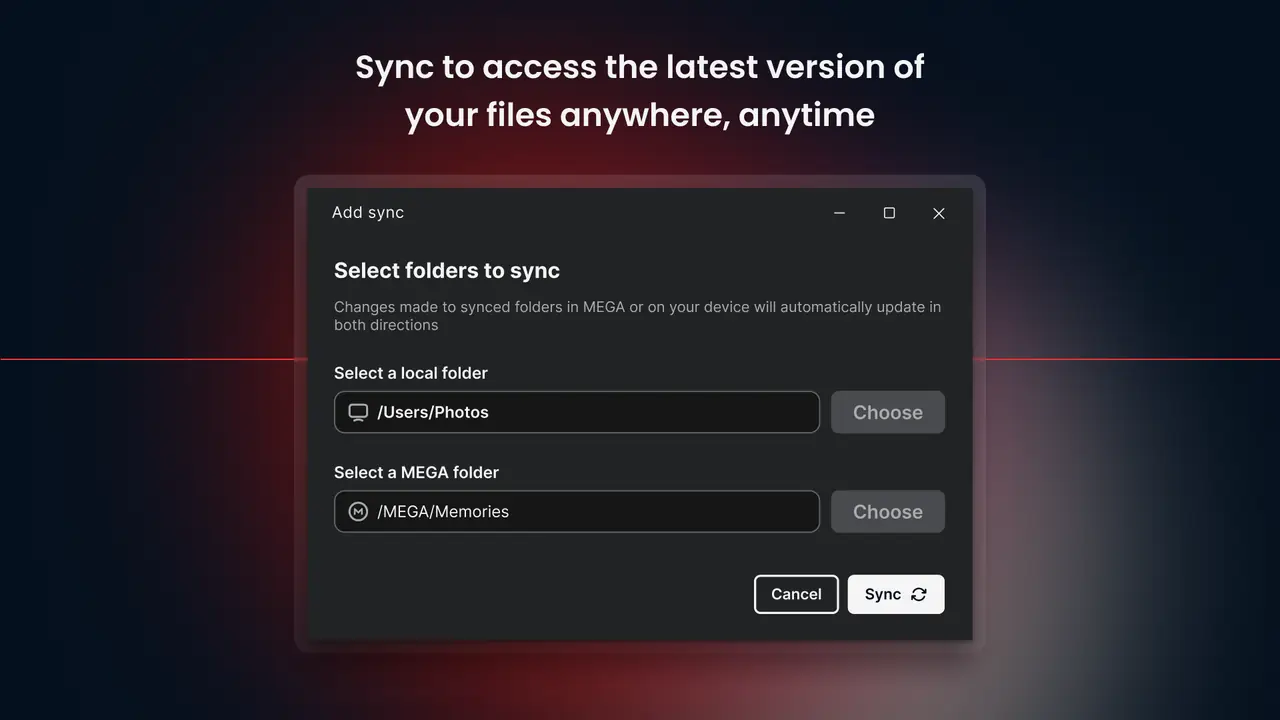
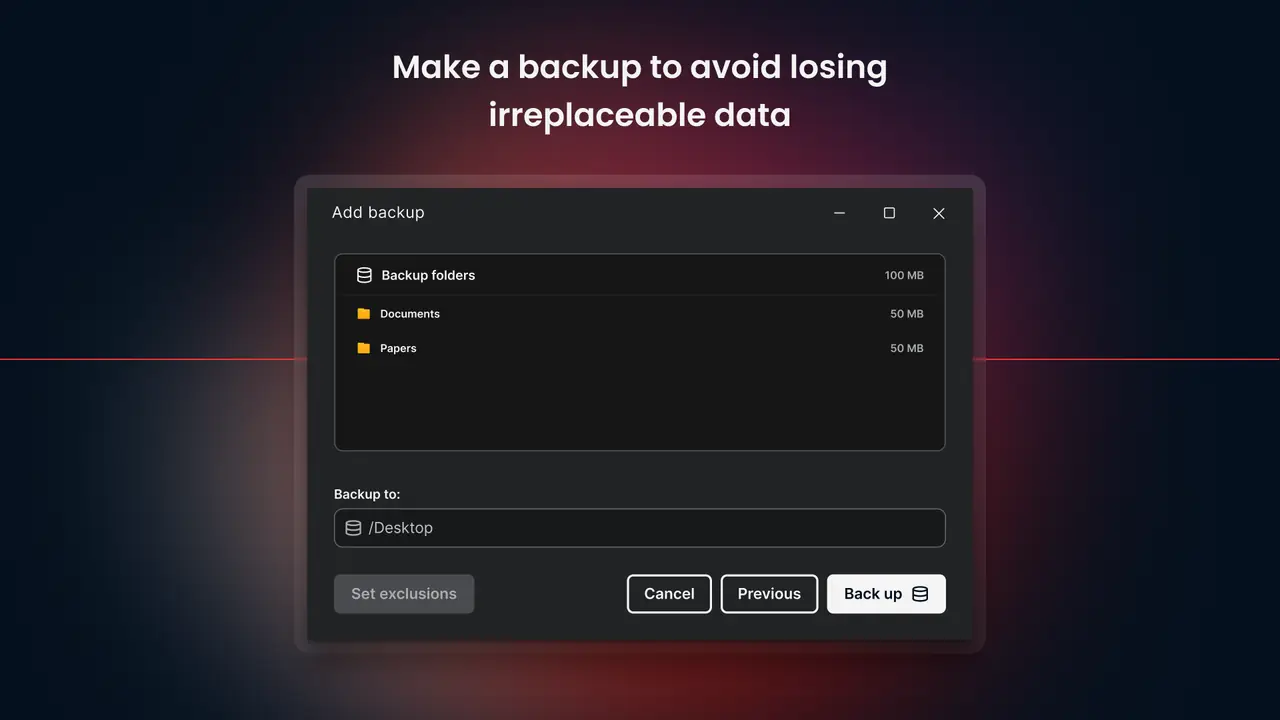
MEGA encrypts files on your device before upload, so the company cannot read them, and the desktop app adds two-way sync, backups and a transfer manager. Its free plan is useful for trying it out. If you lose your password and recovery key, MEGA cannot recover your data.
Screenshots
Key features
- Zero-knowledge, end-to-end encrypted storage
- Two-way folder sync and one-way PC backup
- Transfer manager with bandwidth limits
- Builds for 64-bit and 32-bit Windows
Pros
- Pro: Client-side encryption by default
- Pro: 32-bit Windows build still offered
- Pro: Source code published on GitHub
Cons
- Con: Lost password plus lost recovery key means lost data
- Con: Free transfer quota can throttle big downloads
What's new in 6.7.0.3
See what changed in 6.7.0.3 in the official release notes
Version history
Version 6.7.0.3Latest
26 Oct 2026- SHA-256
- The developer does not publish one
- Source
- Release notes
Official downloads by platform
For Windows, use the Download button. Other platforms go straight to the publisher's own page or official store.
- macOS — official downloadmega.io(opens mega.io in a new tab)
- Linux — official downloadmega.io(opens mega.io in a new tab)
- Android — Google Playplay.google.com(opens play.google.com in a new tab)
- iOS — App Storeapps.apple.com(opens apps.apple.com in a new tab)
- Web app — open official sitemega.nz(opens mega.nz in a new tab)
Requirements
- OS
- Windows 10 or later (Windows Server 2019 or later)
- Architecture
- 64-bit, 32-bit
Licence
- Type
- Freemium
- Licence
- Proprietary (source published under MEGA Limited Code Licence) — free plan; paid Pro plans
- Publisher
- mega.io
Where these facts come from
Checked 30 Oct 2026
User reviews
User reviewsयूज़र रिव्यू
No reviews yet
Used MEGA Desktop App? Reviews appear after moderation; we never import or invent ratings.
Alternatives
- pCloud Drive5.2.4 · FreemiumCloud storage as a virtual drive, with lifetime plans. Official No bundlesAvailable on Windows, macOS, Linux, Android, iOS, Web app
- Proton Drive3.1.0 · FreemiumSwiss, end-to-end encrypted cloud storage from the makers of Proton Mail. Official No bundlesAvailable on Windows, macOS, Android, iOS, Web app

MEGA Desktop App
6.7.0.3 · Not stated