LM Studio
v0.4.27Freemium
Desktop app to download and run open LLMs locally, free for home and work. By Element Labs, Inc.
- Windows
- macOS
- Linux
By the ToolsBharat teamLink checked 30 Oct 2026How we check
Quick answer
LM Studio is freemium software for Windows, macOS and Linux from Element Labs, Inc.. Desktop app to download and run open LLMs locally, free for home and work. Download it only from lmstudio.ai. The latest version we track is 0.4.27. ToolsBharat links straight to the publisher's own download page, with no bundled offers.
- Latest version:
- 0.4.27
- Publisher:
- Element Labs, Inc.
- Official site:
- lmstudio.ai
- Licence:
- Freemium — Proprietary; free for home and work use, optional paid Bionic+ / Pro cloud plans
- Requirements:
- Windows (x64 or ARM), macOS 14.0+ (Apple Silicon only), Linux (Ubuntu 20.04+, AppImage)
Our verdict
LM Studio is one of the easiest ways to run open models on your own PC: browse, download and chat with them in one app, using llama.cpp or MLX under the hood. It has been free for work use since July 2025, with optional paid cloud plans. Hardware matters: Windows needs an AVX2 CPU on x64, and 16 GB RAM is the recommended starting point.
Screenshots
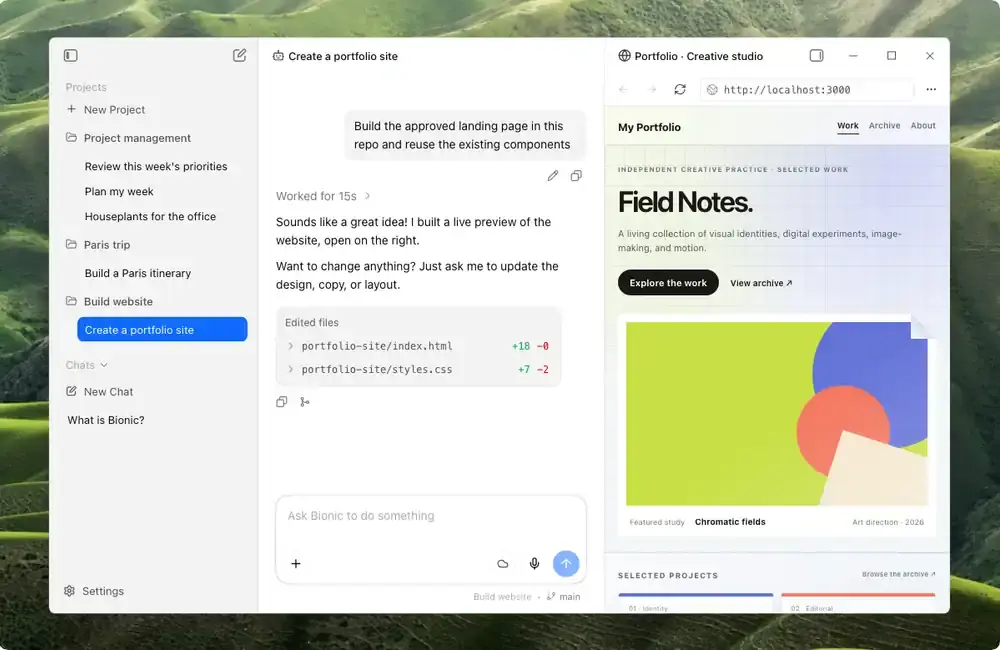
Key features
- In-app model discovery and downloads
- Runs models locally with llama.cpp and MLX engines
- Windows x64 and ARM (Snapdragon X), Apple Silicon Macs, Linux x64/ARM64
- Headless llmster daemon for servers
Pros
- Pro: Free for personal and work use
- Pro: Local models keep chats on your machine
- Pro: Polished, beginner-friendly interface
Cons
- Con: Closed-source app
- Con: Intel Macs are not supported
- Con: Needs a strong PC for larger models
What's new in 0.4.27
See what changed in 0.4.27 in the official release notes
Version history
Version 0.4.27Latest
date not stated- SHA-256
- The developer does not publish one
- Source
- Release notes
Official downloads by platform
For Windows, use the Download button. Other platforms go straight to the publisher's own page or official store.
Requirements
- OS
- Windows (x64 or ARM), macOS 14.0+ (Apple Silicon only), Linux (Ubuntu 20.04+, AppImage)
- Architecture
- x64 (AVX2 required), ARM64
- Also needs
- 16 GB+ RAM recommended; 4 GB+ dedicated VRAM recommended on Windows
Licence
- Type
- Freemium
- Licence
- Proprietary; free for home and work use, optional paid Bionic+ / Pro cloud plans
- Publisher
- lmstudio.ai
Where these facts come from
Checked 30 Oct 2026
FAQ
Can I use LM Studio at work for free?
Yes. LM Studio announced on 8 July 2025 that the app is free to use at home and at work. Paid Bionic+ and Pro plans add hosted cloud models and extra usage.
User reviews
User reviewsयूज़र रिव्यू
No reviews yet
Used LM Studio? Reviews appear after moderation; we never import or invent ratings.
Alternatives
- Ollama0.40.13 · Open sourceRun open AI models locally on your own PC. Official No bundlesAvailable on Windows, macOS, Linux
- Jan0.8.8 · Open sourceOpen-source ChatGPT alternative that runs models offline or connects to cloud APIs. Official No bundlesAvailable on Windows, macOS, Linux
- GPT4All3.10.0 · Open sourceNomic's free, open-source app for running local LLMs and chatting with your documents. Official No bundlesAvailable on Windows, macOS, Linux
- AnythingLLM Desktop1.19.0 · Open sourceAll-in-one local AI app for chatting with documents, agents and any LLM. Official No bundlesAvailable on Windows, macOS, Linux, Android
- Msty Studio2.9.11 · FreemiumPrivacy-first desktop AI workspace for local and online models. Official No bundlesAvailable on Windows, macOS, Linux


LM Studio
0.4.27 · Not stated