HUAWEI AI Life
viOS 17.0.4.316 · Android: via AppGallery (version not stated on Huawei's page)Free
Huawei's app for its Wi-Fi routers, mobile Wi-Fi and audio devices — the replacement for HiLink. By Huawei
- iOS
By the ToolsBharat teamLink checked 30 Oct 2026How we check
Quick answer
HUAWEI AI Life is a free app for iOS from Huawei. Huawei's app for its Wi-Fi routers, mobile Wi-Fi and audio devices — the replacement for HiLink. Download it only from consumer.huawei.com. The latest version we track is iOS 17.0.4.316 · Android: via AppGallery (version not stated on Huawei's page). ToolsBharat links straight to the publisher's own download page, with no bundled offers.
- Latest version:
- iOS 17.0.4.316 · Android: via AppGallery (version not stated on Huawei's page)
- Publisher:
- Huawei
- Official site:
- consumer.huawei.com
- Licence:
- Free — Free app (HUAWEI ID required)
- Requirements:
- iOS 13.0 or later; Android via Huawei AppGallery (not on Google Play)
Our verdict
AI Life manages Huawei consumer routers and mobile Wi-Fi (Wi-Fi mode, signal, guest network, online time) as well as Huawei headphones and speakers. It replaces the old HUAWEI HiLink app. It is not on Google Play: Huawei's guide says to install it from AppGallery — on a non-Huawei Android phone, first install AppGallery from Huawei's own link — or from the App Store on iPhone. Skip the many 'AI Life APK' download sites. Fibre ONTs supplied by Indian ISPs (such as Huawei EchoLife/OptiXstar units) are usually managed by the ISP and its own app or web page, not AI Life.
Screenshots
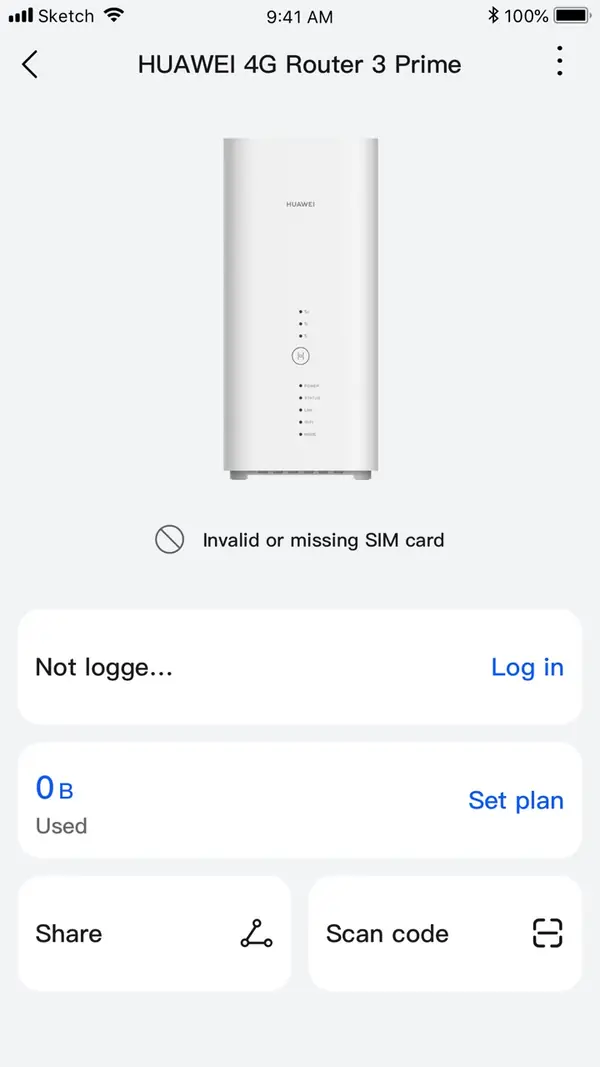


Key features
- Router and mobile Wi-Fi settings: Wi-Fi mode, guest network, online time
- Headphone and speaker controls and firmware updates
- Replaces HUAWEI HiLink
Free online tools for this
On our sister site MuftTools.in, made by DVM Techno, the team behind ToolsBharat. They run in your browser, with nothing to install.
Pros
- Pro: Official Huawei app for its consumer devices
- Pro: iPhone version on the App Store
Cons
- Con: Not on Google Play — Android needs Huawei AppGallery
- Con: Needs a HUAWEI ID login
What's new in iOS 17.0.4.316 · Android: via AppGallery (version not stated on Huawei's page)
See what changed in iOS 17.0.4.316 · Android: via AppGallery (version not stated on Huawei's page) in the official release notes
Version history
Version iOS 17.0.4.316 · Android: via AppGallery (version not stated on Huawei's page)Latest
date not stated- SHA-256
- The developer does not publish one
- Source
- Release notes
Requirements
- OS
- iOS 13.0 or later; Android via Huawei AppGallery (not on Google Play)
- Architecture
- Android phone or iPhone
Licence
- Type
- Free
- Licence
- Free app (HUAWEI ID required)
- Publisher
- consumer.huawei.com
Where these facts come from
- Huawei — how to download AI Life
- HUAWEI AI Life page
- App Store (India) — seller "Huawei Software Technologies Co., Ltd."
Checked 30 Oct 2026
FAQ
Why is HUAWEI AI Life not on Google Play?
Huawei distributes it through its own AppGallery on Android. Huawei's guide says to install AppGallery from Huawei's official link first, then get AI Life there. On iPhone, use the App Store.
What happened to HUAWEI HiLink?
Huawei's own download guide labels HiLink as 'Upgraded to AI Life', and the HiLink Play listing is gone. Use AI Life for Huawei routers and mobile Wi-Fi.
User reviews
User reviewsयूज़र रिव्यू
No reviews yet
Used HUAWEI AI Life? Reviews appear after moderation; we never import or invent ratings.
Alternatives
- TP-Link TetherAndroid 4.16.27 · iOS 4.16.25 · FreeTP-Link's app for setting up and managing its retail routers, DSL modems and range extenders. Official No bundlesAvailable on Android, iOS
- ZTELinkAndroid 5.6.5 · iOS 5.6.4 · FreeZTE's official app for its 4G/5G CPE routers and mobile Wi-Fi (MiFi/UFi) devices. Official No bundlesAvailable on Android, iOS
HUAWEI AI Life
iOS 17.0.4.316 · Android: via AppGallery (version not stated on Huawei's page) · Not stated