
DVM VigiCore
v1.0.33Freemium
On-premise NVR and video management software for IP cameras — footage stays in your building. By DVM Techno
Made by DVM Techno, the team behind ToolsBharat.
- Windows
By the ToolsBharat teamLink checked 30 Oct 2026How we check
Quick answer
DVM VigiCore is freemium software for Windows from DVM Techno. On-premise NVR and video management software for IP cameras — footage stays in your building. Download it only from dvmtechno.com. The latest version we track is 1.0.33. The developer publishes a SHA-256 hash for the installer, shown on our download page. ToolsBharat links straight to the publisher's own download page, with no bundled offers.
- Latest version:
- 1.0.33
- Publisher:
- DVM Techno
- Official site:
- dvmtechno.com
- Licence:
- Freemium — Proprietary — free for up to 4 cameras; paid licences by camera count (on quote)
- Requirements:
- Windows 10, Windows 11 or Windows Server 2019+ (64-bit)
Our verdict
A Windows NVR/VMS for offices, schools, shops and warehouses that records ONVIF IP cameras around the clock and keeps everything on your own network, with no cloud account. AI detection for people, vehicles, loitering and tampering runs locally, and incident clips export without re-encoding. It is free for up to 4 cameras, so a small site can use it fully before buying a licence.
Screenshots
Key features
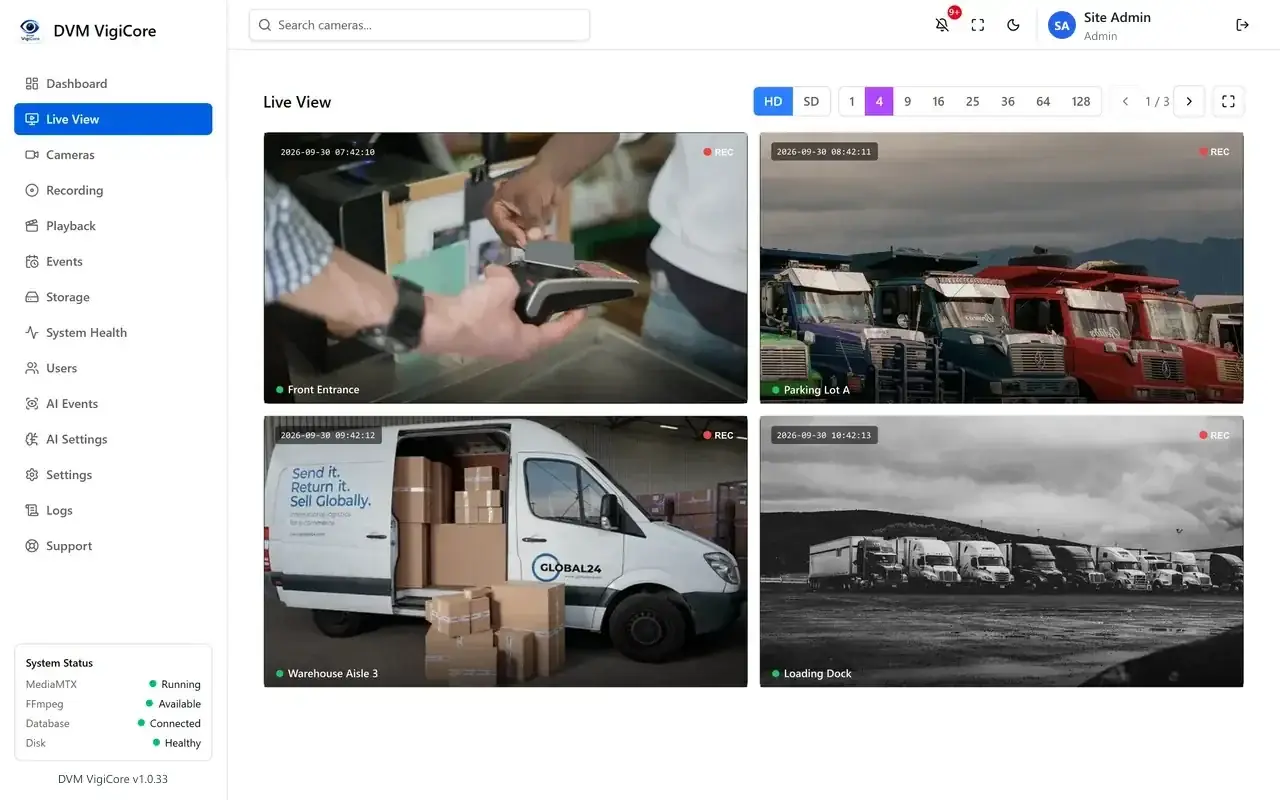
- Live view grids from 1 to 128 cameras, in any current browser (WebRTC, no plugins)
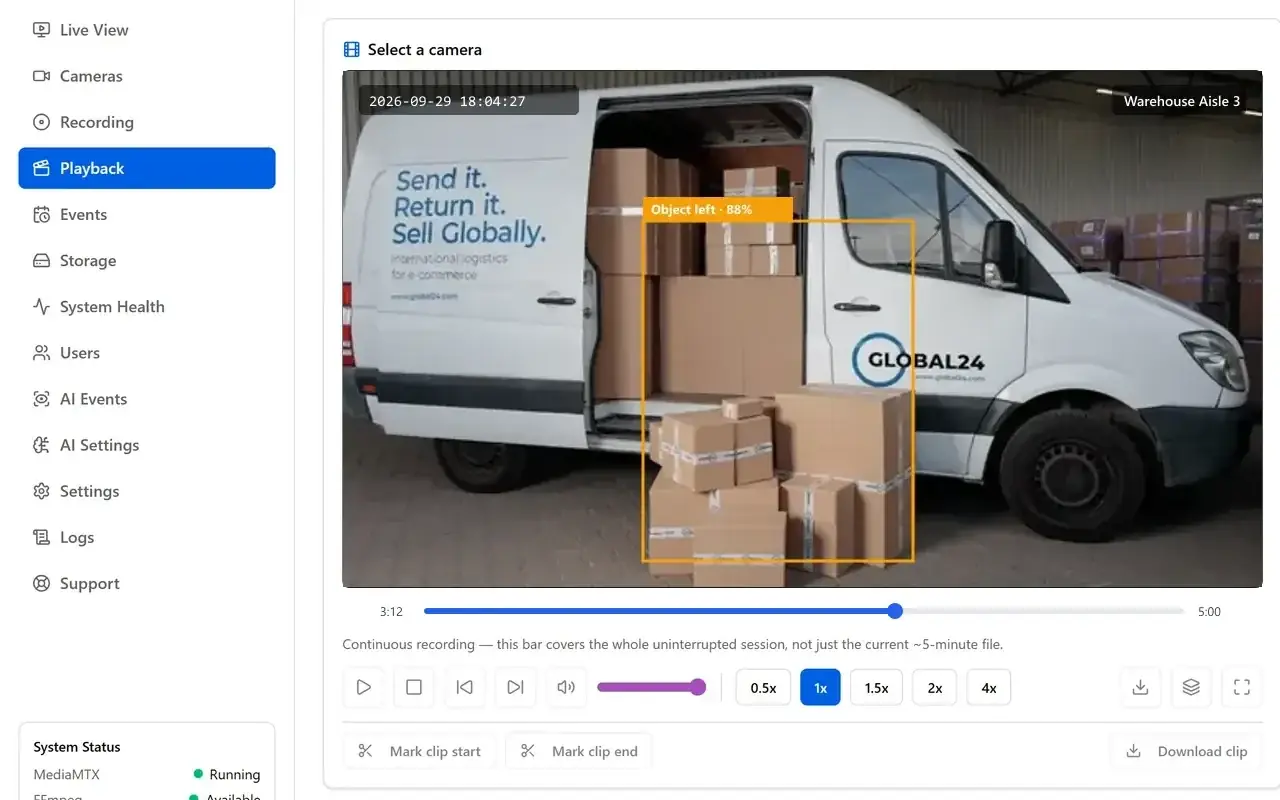
- Continuous, scheduled or manual recording per camera, with a calendar timeline for playback
- Local AI detection: people and vehicles, virtual fences, loitering, left objects, camera tampering
- Lossless clip export — identical to what was recorded
- ONVIF camera discovery with automatic main/sub-stream detection
- Optional off-site replication to S3 or your NAS; role-based access with an audit log
Pros
- Pro: Free for up to 4 cameras
- Pro: No cloud account — runs entirely on your LAN
- Pro: Android TV app for a video wall
Cons
- Con: Paid editions are quote-only (no public prices)
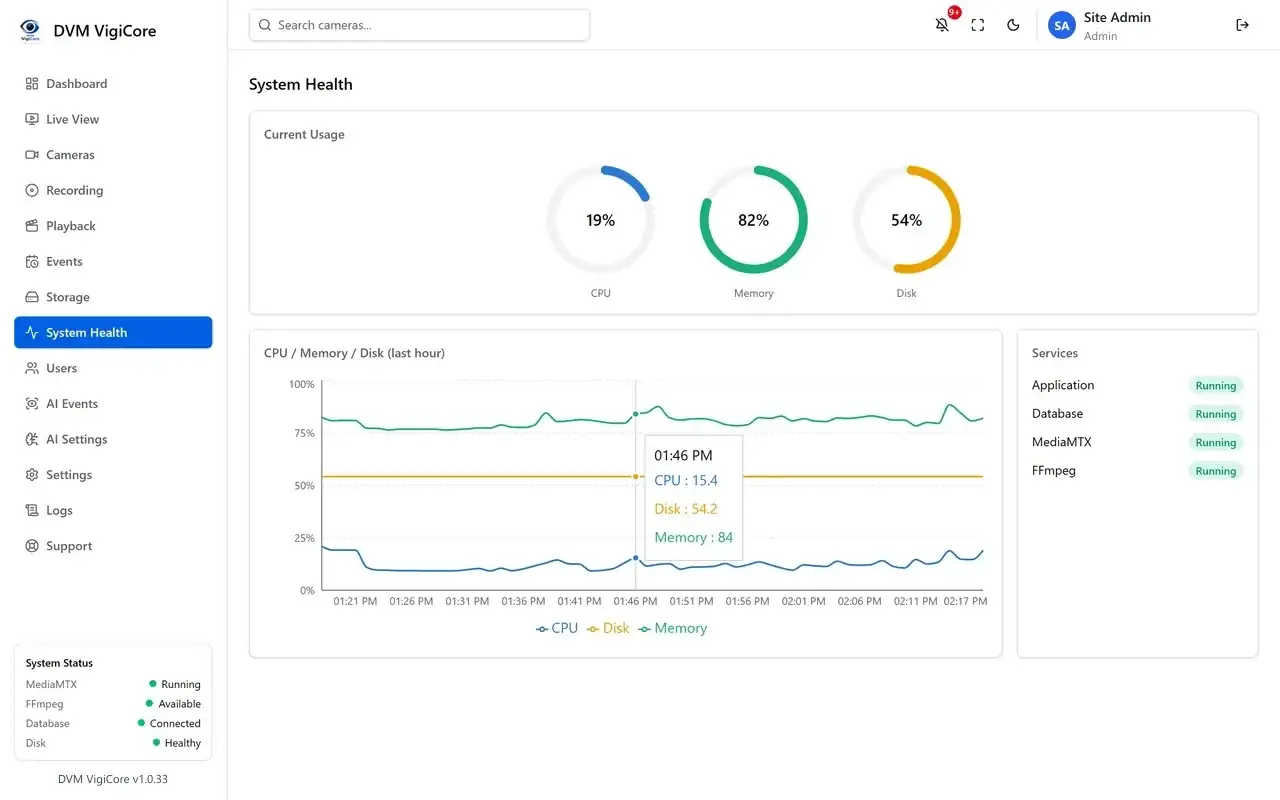
- Con: AI detection and transcoding need more CPU as cameras grow
What's new in 1.0.33
See what changed in 1.0.33 in the official release notes
Version history
Version 1.0.33Latest
date not stated · 284.0 MB- SHA-256
- 4b5e6235…ceb7782f(published by the developer)
- Source
- Release notes
Requirements
- OS
- Windows 10, Windows 11 or Windows Server 2019+ (64-bit)
- Architecture
- 64-bit
- Also needs
- ONVIF IP cameras with RTSP (H.264/H.265); about 21 GB of storage per day per 2 Mbps camera
Licence
- Type
- Freemium
- Licence
- Proprietary — free for up to 4 cameras; paid licences by camera count (on quote)
- Publisher
- dvmtechno.com
Where these facts come from
Checked 30 Oct 2026
FAQ
Is DVM VigiCore free?
It works with up to 4 cameras without a licence. Larger sites buy a licence by camera count (Starter 8, Professional 32, Enterprise 512 cameras); DVM Techno gives prices on quote.
Does VigiCore need the internet or a cloud account?
No cloud account is needed. Cameras and the server run on your local network; the only outbound connection is for licence activation, after which the licence works offline.
User reviews
User reviewsयूज़र रिव्यू
No reviews yet
Used DVM VigiCore? Reviews appear after moderation; we never import or invent ratings.
DVM VigiCore
1.0.33 · 284.0 MB