
DVM Fortress
v1.0.655Paid
Remote monitoring and management (RMM) for Windows PCs — live screens, remote control and software deployment. By DVM Techno
Made by DVM Techno, the team behind ToolsBharat.
- Windows
By the ToolsBharat teamLink checked 30 Oct 2026How we check
Quick answer
DVM Fortress is paid software for Windows from DVM Techno. Remote monitoring and management (RMM) for Windows PCs — live screens, remote control and software deployment. Download it only from dvmtechno.com. The latest version we track is 1.0.655. The developer publishes a SHA-256 hash for the installer, shown on our download page. ToolsBharat links straight to the publisher's own download page, with no bundled offers.
- Latest version:
- 1.0.655
- Publisher:
- DVM Techno
- Official site:
- dvmtechno.com
- Licence:
- Paid — Commercial — pricing on request
- Requirements:
- 64-bit Windows for the server; Windows PCs and laptops for the agent
Our verdict
A self-hosted RMM for IT teams, school computer labs and offices. A small agent on each Windows PC reports health and a live screen thumbnail to your own server, and the console lets you take control, transfer files, run commands and push MSI or EXE installers — all on infrastructure you run. DVM Techno notes the setup isn't code-signed yet, so Windows may show a SmartScreen warning on first run.
Screenshots
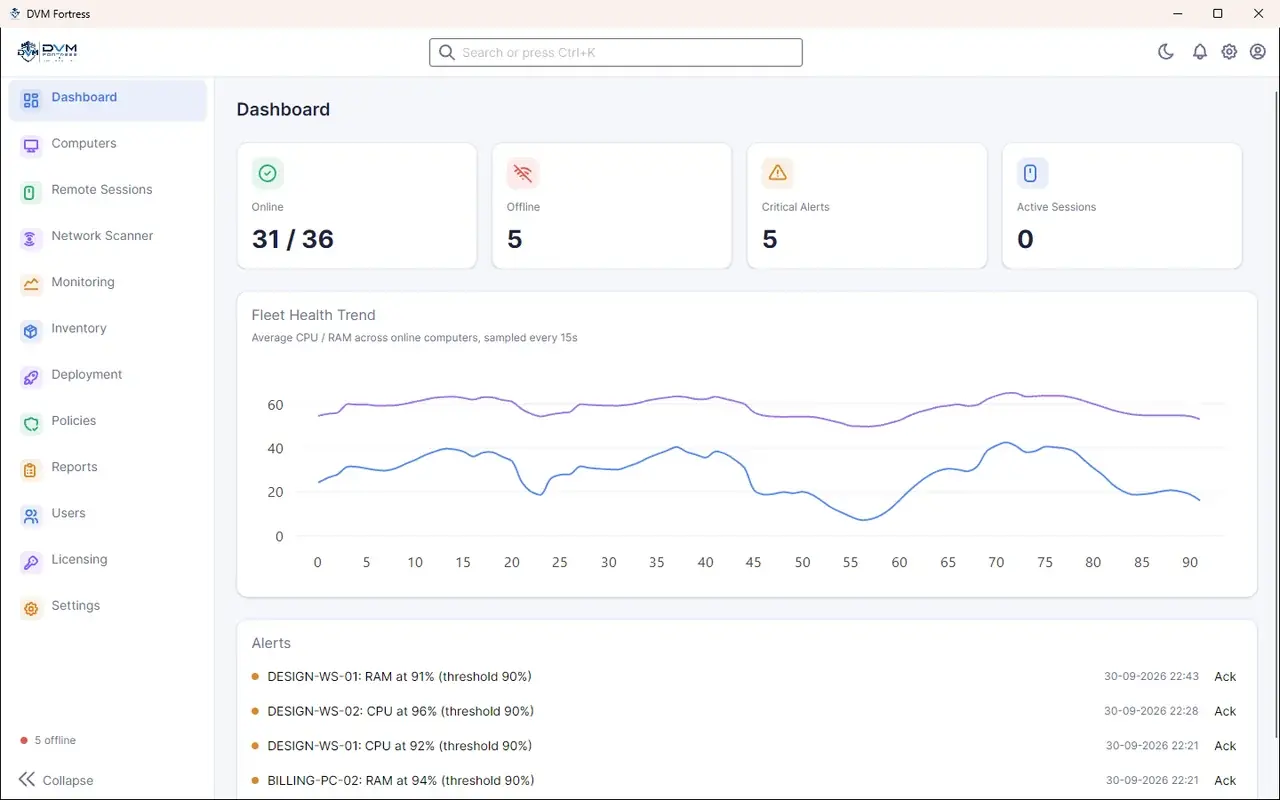


Key features
- Live thumbnail wall of every PC, with remote control, chat and call
- Live CPU and RAM per computer, with alert rules for thresholds and offline agents
- File transfer and a remote command-prompt terminal
- Software deployment: push scripts, MSI and EXE installers and track results
- Users and roles: Administrator, Technician, Helpdesk and Viewer
- Network scanner and PC inventory (hardware and installed software)
Pros
- Pro: Self-hosted — monitoring data stays on your server
- Pro: Software deployment and inventory built in
Cons
- Con: Setup isn't code-signed yet (SmartScreen may warn)
- Con: Pricing isn't published
What's new in 1.0.655
See what changed in 1.0.655 in the official release notes
Version history
Version 1.0.655Latest
date not stated · 220.0 MB- SHA-256
- 9bc419e7…816e01d8(published by the developer)
- Source
- Release notes
Requirements
- OS
- 64-bit Windows for the server; Windows PCs and laptops for the agent
- Architecture
- 64-bit
- Also needs
- Administrator rights and 3 GB free disk space for the server setup
Licence
- Type
- Paid
- Licence
- Commercial — pricing on request
- Publisher
- dvmtechno.com
Where these facts come from
Checked 30 Oct 2026
FAQ
Why does Windows warn when I run the Fortress setup?
DVM Techno states the setup is not code-signed yet, so SmartScreen or Smart App Control may show a warning. Compare the file's SHA-256 with the one published on the product page before running it.
Does DVM Fortress run in the cloud?
No. The setup installs the Fortress server with its own database, the web portal and the desktop console on a Windows machine you control.
User reviews
User reviewsयूज़र रिव्यू
No reviews yet
Used DVM Fortress? Reviews appear after moderation; we never import or invent ratings.
DVM Fortress
1.0.655 · 220.0 MB